Creator Studio
I turned an unused conference room into a new resource for faculty and students to create multimedia content for their courses. I determined the equipment needed, processes used, and marketing strategy to inform the campus of the new resource.
Role: Project Leader, Marketer
Target Audience: Faculty, Staff, and Students
Tools Used: Lightboard, DSLR, Video Productions Software, Video Editing Software
Process
The assistant provost approached me to develop a plan to open a creator studio on the university campus that faculty and students could use. I collaborated with other universities that had opened similar spaces to determine essential items and milestones for use and buy-in. One problem that I faced was that most of the other universities had earmarked a budget to create a specialized space as part of new construction or renovation of existing campus facilities. These universities also utilized outside consultants to install and operate as a professional production studio. I had to turn an old conference room in a high-traffic building into a similar studio that any of the teaching department’s staff could operate. While this placed an added burden on the initial planning and development, it also created an opportunity to make the studio more accessible. Once I determined the equipment, I set out to develop streamlined processes for the operation and booking of the studio. I soft-launched the studio in the Spring 2019 semester and spent the next year adjusting and optimizing the processes. During this time, I started by inviting early adopters to begin using the space, hosting open houses to let faculty see the capabilities, discussing use cases with those interested, and publishing marketing materials to show the campus what others were doing.
Outcome
The creator studio was met with massive success across the campus, and bookings grew semester after semester. Faculty reported increased student engagement with the new resources they were able to create, and students utilized the new options to complete projects in ways that were not possible before. An added outcome was that during this time was that the campus also adopted a new video hosting platform and tools, and by leveraging the new studio, I was able to help grow the video platform by triple digits in a year.
LMS Migration and Training

I managed the transition for three LMS systems, ensuring that all requested content was migrated and all users were trained on the new LMS in time for launch. I have managed three LMS migrations utilizing the following LMS systems: D2L, Canvas, Totroa, Centerpoint Solutions, Pearson eUniversity, and Learnsoft.
Role: Project Manager, Lead Trainer, System Support
Target Audience: All LMS Stakeholders
Tools Used: D2L, Canvas, Totroa, Centerpoint Solutions, Pearson eUniversity, Web Conferencing Technology, FTP.
Year(s): 2016, 2018, 2020, 2022
Process
I led the coordination between old and new LMS systems to transfer existing courses to the new LMS. I developed a migration plan and tracking systems to ensure that all resources were migrated and coordinated the structure set up for accurate reporting and access for all users. I conducted a needs assessment for all users to determine what training and resources were needed to launch the new LMS. Once the users’ needs were determined, I developed a training schedule to capture the greatest amount of users. After the launch of the new LMS, I continued to work with stakeholders to improve usage and led efforts to integrate their party vendors to increase the availability of learning content and experiences.
Outcome
In each instance, the organization saw an increase in the number of users in the LMS and increased requests for departments to host content and courses on the LMS. I assisted the organization in the structure set up to improve reporting and gathering metrics for future use in determining learning needs. I also helped integrate third-party vendors to increase the capabilities of the LMS and the learning options available to the learners.
IT Security Awareness for New Hires
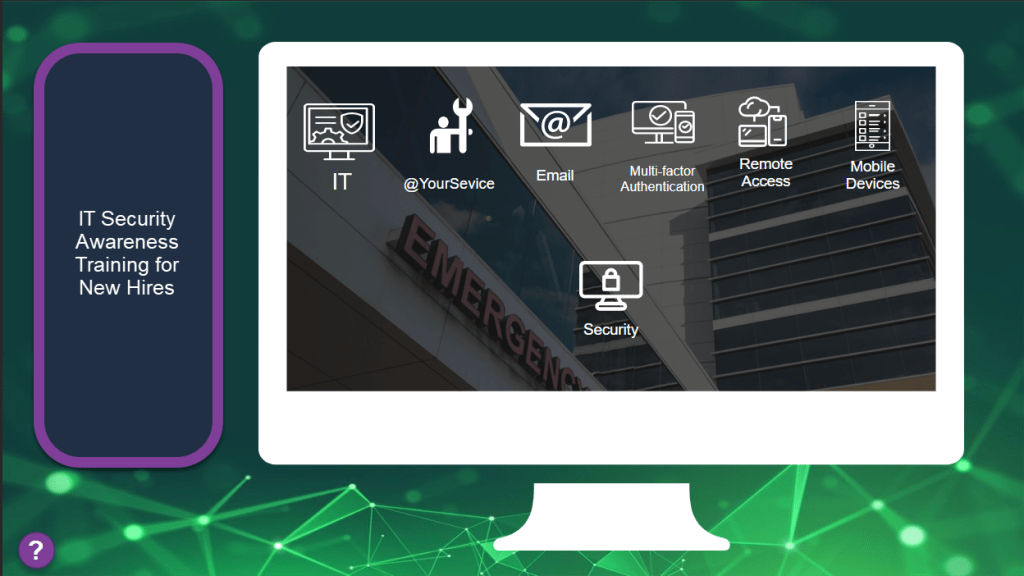
This course was a general information course for new employees to learn about the organization’s IT Security Policies and Rules.
Role: Instructional Design, eLearning Development, Organizational Goal Alignment
Target Audience: New Employees
Tools Used: Articulate Storyline, Adobe Creative Suite
Process
The IT department realized that with a limited employee orientation due to COVID-19, new employees no longer received all of their information during a traditional orientation. The IT department provided me with the PowerPoint presentation that they had presented in the past. We discussed the overall outcomes they were hoping for and how to track that learners received the information. From there, I developed a storyboard outlining the course, and once approved, I built and deployed it using Articulate Storyline and published it via the organization’s LMS.
Outcome
New employees felt more informed and better prepared to start their new position. In addition, this course led to a decrease in incidents and an increase in the use of the IT department’s services.
Tuition Reimbursement Program
This course provided employees with information about the organization’s tuition reimbursement program. The main goals of this course were to let employees know about the rules and regulations and become comfortable with the program used to participate.
Role: Instructional Design, eLearning Development, Organizational Goal Alignment

Target Audience: All Employees
Tools Used: Articulate Storyline, Adobe Creative Suite
Process
Outcome:
The tuition program coordinator approached me about common issues when employees participated in the tuition reimbursement program and submitted correct documentation on time. I conducted a needs assessment with stakeholders who managed the program and current participants who were successful and unsuccessful with the management program. After collecting the information, I determined that the best course of action was to create an online course that provided employees with all of the information about participation and the ability to practice submitting for reimbursement. During development, the finance department informed me that a change in financial regulations could potentially open employees up to further costs. I developed a tool that allowed employees to model their specific situation to determine if they would incur additional fees. I built the course using Articulate Storyline and published it to the organization’s LMS.
This course was able to alleviate calls to the coordinator with employees seeing information about the program and improved awareness about the limits and deadlines faced with the program. This course also served as a resource to current participants who were facing the new financial regulations.
More projects coming soon.
 Colin Talbot